Monday, 15 December 2025

VR Design Unpacked: The Best Shotguns in VR (and what makes them feel great)

https://ift.tt/FGgB10W

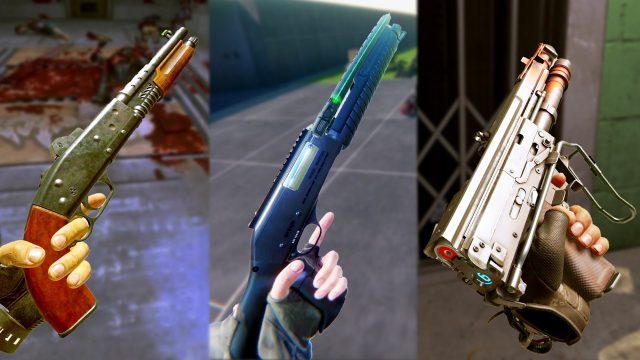
Our series Inside XR Design highlights examples of great XR design. Today we’re looking at shotguns in several different VR games to learn what makes them feel great in the player’s hand. In doing so, we’ll uncover the secret to making anything feel great in VR.

Editor’s Note: Two of the games feature in this episode of Inside XR Design, Boneworks and Arizona Sunshine 2, were released this month way back in 2019 and 2023 respectively. Despite being years old, both games remain great examples of using the power of feedback to make VR weapons feel great. To commemorate these dual anniversaries, we’re bumping this episode back up to the front page to highlight what they can teach us about VR interaction design.

You can find the complete video below, or continue reading for an adapted text version.

Ok, we’re jumping right into this… if I asked you ‘what’s your favorite shotgun in VR?’ you can probably picture it in your head pretty quickly. But could you tell me exactly what makes that shotgun feel so great?

Well, that’s kind of a trick question, because the answer is like 50 different little details that all add up to how a shotgun ultimately feels in the player’s hands.

So today we’re going to look at some of my favorite shotguns in VR and dissect all those little details to talk about how they contribute to that feeling. And by the end of this… I’m going to make the case that if we can understand what makes a shotgun feel great in VR, we can figure out how to make anything feel great in VR.

Arizona Sunshine 2 – Sunshine Shorty

Let’s kick things off with one of my favorite shotguns in all of VR. That would be the sawed-off pump-action shotgun in Arizona Sunshine 2—lets call it the Sunshine Shorty.

Just look at this thing go. It’s incredibly satisfying to use. But why?

Well first of all, it’s pump action. You just can’t beat a pump-action shotgun in VR. Two-handed interactions in VR are always interesting, and making the player perform such a visceral and well-recognized gesture is always gonna make them feel like a bad-ass. Pumping a shotgun to load the next round is a clear extension of the ‘Instructed Motion’ concept I introduced in the previous episode, and an example of how such movements can infuse players with emotion.

The way the Sunshine Shorty reloads has a great little detail too. In many VR games you can reload a weapon just by touching the magazine or shell to the right place on a gun, but in Arizona Sunshine, you need to actually slide the shell into the weapon. The developers made this feel great by adding a custom hand-pose to show the player pushing the shell into the gun.

This little detail adds a lot to the feel of the weapon, because it changes reloading from just touching one thing to another into performing a gesture that captures more of the fantasy of sliding rounds into a shotgun. And importantly, it’s still feels good without being tedious. You might say the interaction is generous to the player… you don’t need to get the motion or position perfectly right in order for it to work.

But the motions themselves are only part of what makes using the shotgun satisfying. Providing feedback to the player intention is critical as well, and the easiest way to do this is with great sound and haptics.

And getting the sounds right is everything.

Let’s listen to how much less satisfying it is to use the Sunshine Shorty with weak sounds vs. strong ones:

View post on imgur.com

Unmute for sound

Sounds make such a difference.

For a shotgun, getting the pump-action sound just right is crucial. As someone who’s fired real shotguns, I wouldn’t say the Sunshine Shorty’s pumping sound is particularly realistic, but remember, the goal is to convey the feeling of pumping a shotgun, not simply playing back a perfect replication of a sound. In the case of this shotgun, its got just the right amount of crunch, clack, and metallic sounds to give a very satisfying feeling every time you pump it.

View post on imgur.com

Unmute for sound

And though I can’t show you haptics on video, haptics can be almost as beneficial as audio itself, because it ties specific weapon sound effects to different locations on the weapon. For instance, when you pump the gun you should feel a haptic rumble in the pump hand, but not the trigger hand.

And again, both sounds and haptics are about giving the player feedback when they do something. When a player pumps the gun you’re conveying that they did something right by giving them the feedback of a sound effect and a haptic rumble.

Another piece of feedback is seeing the shotgun shell ejected from the gun after pumping it. This further reiterates the player has interacted with the shotgun in a valid way.

And there’s a great little detail the developers added here. On most real-life shotguns, the shell ejection port is on the side of the weapon so the shell is ejected away from the wielder. But the Sunshine Shorty has an ejection port on the top of the shotgun, just to make the feedback of ejecting the shell even more visible for players. I love it.

There’s one huge thing we haven’t talked about yet about what makes this shotgun feel great in VR. That would be the things the player actually shoots the gun at. You could do literally everything perfectly about the gun itself—the sounds, effects, tuning etc—but if the player pulls the trigger and the enemy just slowly lays down, that’s absolutely not gonna feel good.

Arizona Sunshine 2 might even go a bit over the top with the visual impact and sound effects when shooting zombies, but damn it feels great. The key is that the effect on the target correctly matches the sound and recoil of the weapon. Since the shotgun sounds powerful when it shoots, to deliver the feedback of that expectation, the target you’re shooting at needs to be satisfyingly impacted.

So the Sunshine Shorty feels great for all the reasons we talked about. But we can also learn a lot by noticing where things could be better. If I could just snap my fingers and make it so, these are the improvements I’d wanna to see with this gun:

First: Having an animated transition in hand poses between holding the shell and sliding it into the gun would make reloading look smoother visually.

Second: While the gun operates realistically in terms of pumping and loading, visually if we look into the chamber we can see the next shell from the gun isn’t actually loaded into the barrel. It just sits there until the chamber closes and then essentially appears in the barrel to be ejected after the shot.

And Third: Unless you’re counting while reloading, there’s no clear way to know when the shotgun is completely full of shells. That often means you’ll go to put another shell in the gun but end up throwing it on the ground instead because it can’t fit. This happened to me all the time when playing the game. Giving players an audio cue to indicate when the gun is almost full and then completely full is a subtle way to avoid this—and you’ll see exactly that with the next shotgun we talk about.

Continue on Page 2 »

The post VR Design Unpacked: The Best Shotguns in VR (and what makes them feel great) appeared first on Road to VR.


from Road to VR https://ift.tt/lfyUZ0F
via IFTTT

Asymmetrical Co-op Game ‘VR Giants’ Comes to Quest with PC Cross-play & Free Friend Pass

https://ift.tt/5g2h6Nt

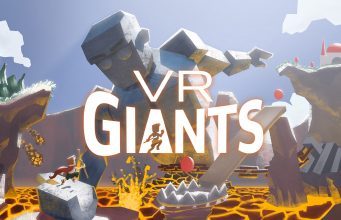
Asymmetric VR games are a rare but wonderful treat, especially those which let you play with non-VR friends. The newly released VR Giants not only lets you play with a non-VR friend, but thanks to the ‘Friend Pass’ feature, your friend plays for free with only one copy of the game between the two of you.

VR Giants, an asymmetric co-op VR game first launched on Steam, is now available in Early Access on Quest. The game features two distinct roles: the VR player is Goliath and the non-VR player is David. The pair work together to tackle platforming challenges from two completely different perspectives.

The release of VR Giants on Quest includes a free Friend Pass which allows a friend to join you as David, free of charge. Your co-op partner can join via another Quest or on a PC thanks to newly added cross-play with the Steam version of the game (and its equivalent Friend Pass).

I appreciate the thoughtful inclusion of the Friend Pass and cross-play as it maximizes the opportunity to play the game with your friends regardless of what platforms they have access to.

Developer Risa Interactive says the game includes 23 levels with some eight hours of co-op gameplay.

The post Asymmetrical Co-op Game ‘VR Giants’ Comes to Quest with PC Cross-play & Free Friend Pass appeared first on Road to VR.


from Road to VR https://ift.tt/XiKoh9B
via IFTTT

‘Laser Limbo AR Battles’ Launches for Multiplayer Mixed Reality Mayhem

https://ift.tt/s6Jeqt8

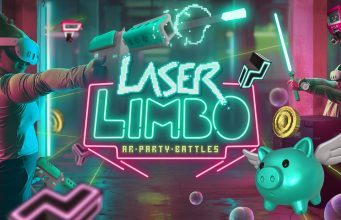
Laser Limbo AR Battles is now out of early access on Quest, bringing with it a host of mixed reality mini-games sure to get you and a buddy up and moving with guns, laser swords, and more.

Laser Limbo is a mixed reality shooter that’s grown considerably since it was initial launched into early access last year. First devised as a co-located bullet-time shooter, the game quickly grew to include multiple PvP shooter modes, co-op wave modes, multiple gun-free party modes, and even a map editor so you could design your own challenges.

Image courtesy freeroam.ar

In the latest update, Laser Limbo also now includes laser-sword combat, playable solo or in back-to-back co-op. The update also includes three weapon-free modes: Coin Clash, where players navigate a shifting laser maze while collecting coins; a 3D puzzle race that pits two opponents against each other; and Pop ’N’ Stop, a freeze-on-alarm bubble-popping challenge inspired by ‘Red Light, Green Light’.

Notably, developer freeroam.ar says it can be played in living rooms, whole floors, arcades, and larger co-located spaces. While at-home gameplay is capped at two players, enterprise support via a Windows client expands Laser Limbo to eight players. VR arcades looking for more info on the enterprise version can find more here.

You can find Laser Limbo AR Battles on the Horizon Store for Quest 2 and above, priced at $15

The post ‘Laser Limbo AR Battles’ Launches for Multiplayer Mixed Reality Mayhem appeared first on Road to VR.


from Road to VR https://ift.tt/Q8xoXvI
via IFTTT

The First $100 You Should Spend on Meta Quest Games

https://ift.tt/CWvs8Tb

Sneaking suspicion there’s a Quest 3 or Quest 3S under the tree? Whether you’re into active games, puzzles, or just want to slice or shoot the ever-living crap out of something, we’re here to help you settle into your new headset with a few games that should keep you playing for hundreds of hours yet to come.

Note: This list includes only Quest-native games. Don’t forget that you can also play PC games with Quest Link, Air Link, or Valve’s Steam Link, and of course a VR-ready PC. Find out if your PC is ready for Link.

While we’d suggest checking out the top free games first, we hope this list will make for a great starting point, with genres floating around $100 and featuring some tried-and-true games for cardio freaks, shooter fans, puzzle nerds, fantasy swordplay geeks, and much more. Click through each category, or pick and mix using the legend below:

Multiplayer Shooting Madness

Forefront – $20

If you’re looking for the most Battlefield-like VR game out there, Forefront is the 16v16 immersive shooter of your dreams. While still in early access, you’ll be able to choose from your standard classes, pilot a host of vehicles, and battle through a variety of expansive, semi-destructible environments.

‘Forefront’ on Quest

Zero Caliber 2 – $25

While Zero Caliber 2 packs in an eight-hour single player campaign, not only can you play in four-player co-op, but also classic multiplayer game modes with up to 10 players. It looks (and plays) amazing on Quest 3.

‘Zero Caliber 2’ on Quest

Contractors Showdown : ExfilZone – $20

It’s not the battle royale game some hoped it would become, but now Contractors Showdown: ExfilZone is a full-on extraction shooter in the vein of Escape from Tarkov, you plan your assault in an attempt to nab loot and extract alive. Progression, gunplay and gear is deep, which is a double-edged sword; more experienced players can discourage newcomers, although pushing through it is definitely worth it.

‘Contractors Showdown’ on Quest

Spatial Ops – $20

It’s not for everyone, simply because of the space required, although consider Spatial Ops a bit of a sub-in if you’re not into extraction shooters and are looking for more of a laser tag shooting experience. You can play online or with a bunch of other Quest-owning pals – just make sure you’ve got a large-size area to romp around in.

‘Spatial Ops’ on Quest

Strayed – $20

Strayed is not forgiving, so be warned. This fast-paced open world VR survival game is essentially vanilla RUST in VR—including more griefing psychopaths than you can shake a rock at. While not a shooter in the traditional sense, you’ll start with nothing on a fresh island, gather materials, craft weapons, build bases, and battle other players for the best loot—which ultimately is guns, armor, ammo, pipe bombs: the lot.

‘Strayed’ on Quest

Continue on Page 2: Single Player Shooters»

The post The First $100 You Should Spend on Meta Quest Games appeared first on Road to VR.


from Road to VR https://ift.tt/vILQzSM
via IFTTT

Friday, 12 December 2025

The Seamless Dream: Killing The VR Loading Screen

https://ift.tt/4UWrlRG

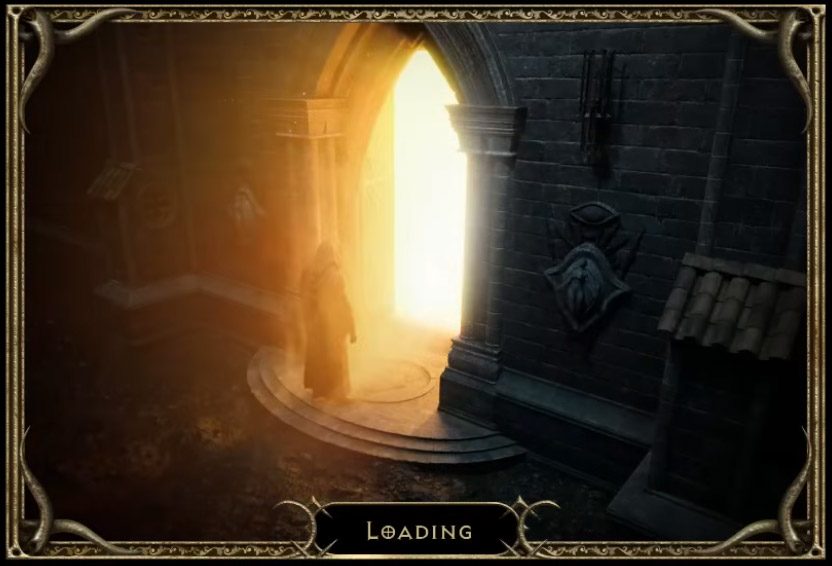
In games, nothing breaks player flow like a loading screen, and in virtual reality this problem is amplified tenfold. ‘Presence’ or ‘immersion’, the magical yet fragile feeling of ‘being there’, is what makes VR so special. When a player is suddenly teleported out of a fantastical world and into a cold, black expanse with a solitary loading bar, the illusion is instantly shattered. Worse yet, unaccounted mini-loads can cause frame rate stutters and subsequent VR sickness. In this Guest Article, VR developer Charlie Cochrane explores a range techniques for designing around immersion-breaking loading screens.

Guest Article by Charlie Cochrane

Charlie Cochrane is a solo VR dev running Crooks Peak studio. With a background in robotics, programming, and a cookie delivery company, he started making hobby VR games in 2016 and went full time in 2021. His sci-fi action horror game ‘By Grit Alone‘ released winter 2024, and the upcoming Victorian zombie train sim ‘Full Steam Undead‘ is due Spring 2026, both available on Meta Quest and Steam.

A loading bar in VR doesn’t just pause the game; it teleports the player to a disorienting black void, completely breaking the sense of ‘presence’.

It’s a problem I took as a core design pillar for my previous game, By Grit Alone, and my upcoming title Full Steam Undead. Both feature a ~4 hour campaign with a hard rule: zero loading screens and no framerate stutters.

In this article, I’ll share some of the high-level techniques, from technical wizardry to deceptive tricks, that developers use to minimize or hide loading entirely. The reader should come away with a new appreciation for these invisible systems and a better understanding of why there are so many elevator scenes in games.

The Background Load (Streaming)

The best loads are the ones players don’t even realise are happening. Enter ‘Asset Streaming’; the goal here is to load the game’s assets (models, textures, sounds) in small chunks in the background before they are needed, rather than all at once in a single, game-halting block.

This can be tricky, as the game needs to predict what needs loading and when, so that it’s ready and preloaded at the moment it’s required. It’s a careful balancing act; if you preload too much then you’ll eat up all the memory, while not enough and you may be caught out needing unloaded assets. This can be extra tricky in VR, where memory and processing power can be tight on standalone systems and even the shortest blocking load can cause a noticeable stutter.

Asset streaming can be as simple as loading an MP3 audio file a few seconds before it needs to play. In By Grit Alone, each time you get an NPC radio message, I play a little radio static buzz at the start of the call. This two second clip frames the call nicely, but also buys me two seconds to load the actual message in the background!

A more complex but common example; chunking up a large open world map and loading/unloading those chunks depending on the player’s location and view direction. Asgard’s Wrath 2 is a lovely example of this; done properly the player is able to ride around the massive map without a loading bar in sight. Done poorly and the player will see parts of the world or enemies teleporting in and out of the game.

The Hidden Load (Deception)

Asset Steaming is great, but even then, sometimes the engine just needs more time or memory. For example: the player is moving from one massive area to another, and the new area is too big to be streamed in ‘invisibly’ without first removing the old.

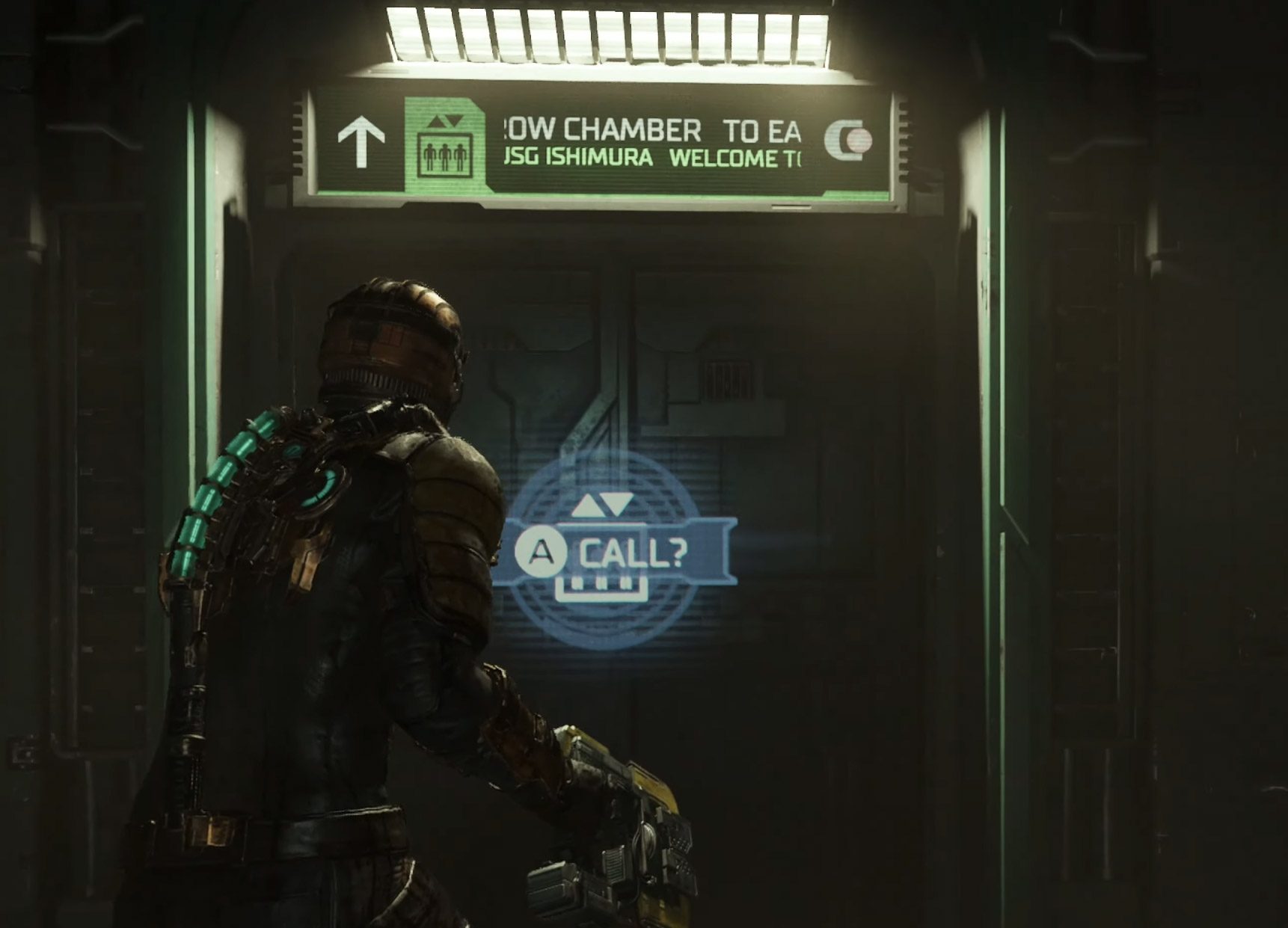
Enter ‘The Elevator’. The player steps in, presses a button, and is forced to wait as they slowly ascend or descend, perhaps while NPCs chat or some stuffy elevator music plays. That (often unskippable) ride is a loading screen in disguise. By placing the player in a small space, the engine can unload the previous scene, free up the memory and then load in the new scene, while the ride gives the engine time to do this in the background.

That long elevator ride isn’t just for dramatic tension. It’s one of the most common and effective ways to ‘mask’ the loading of an entirely new, complex environment.

Of course the elevator is just one example, but once you know what to look for, you’ll see these hidden loads everywhere:

  • The Tight Squeeze: The player has to shimmy through a narrow rock crevice or between two walls.
  • The Slow-Open Door: A character struggles to pry open a heavy gantry door or waits for a high-tech ‘decontamination’ scan before the door opens.
  • The Crawlspace: Forcing the player into a vent or low tunnel, where movement is slow and the view is restricted.

These aren’t lazy designs, they are non-intrusive solutions to keep player interactivity in the world, while giving the engine the time and resources to perform loading in the background.

The ‘Pause’ as a Load (Diegetic UIs)

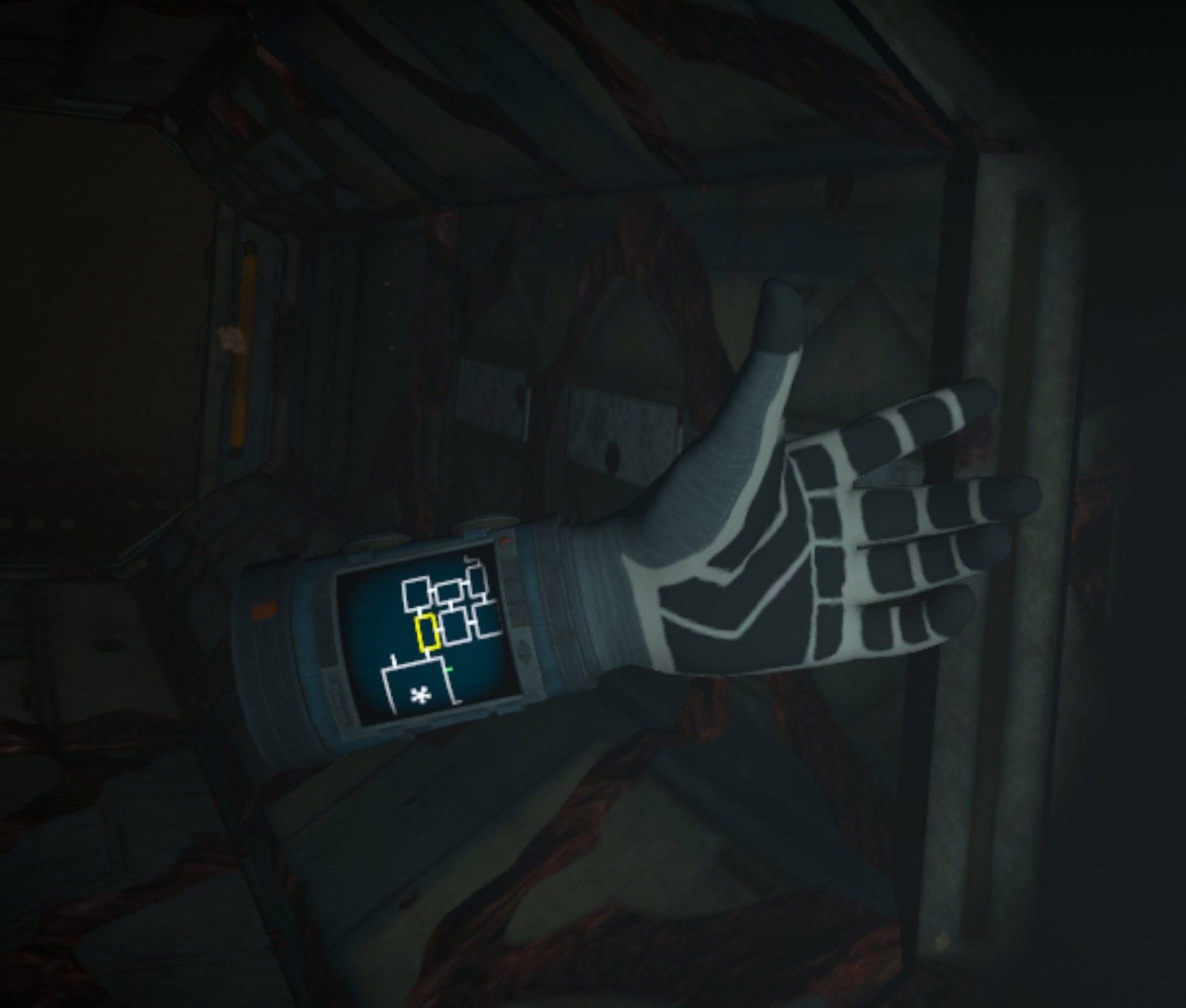
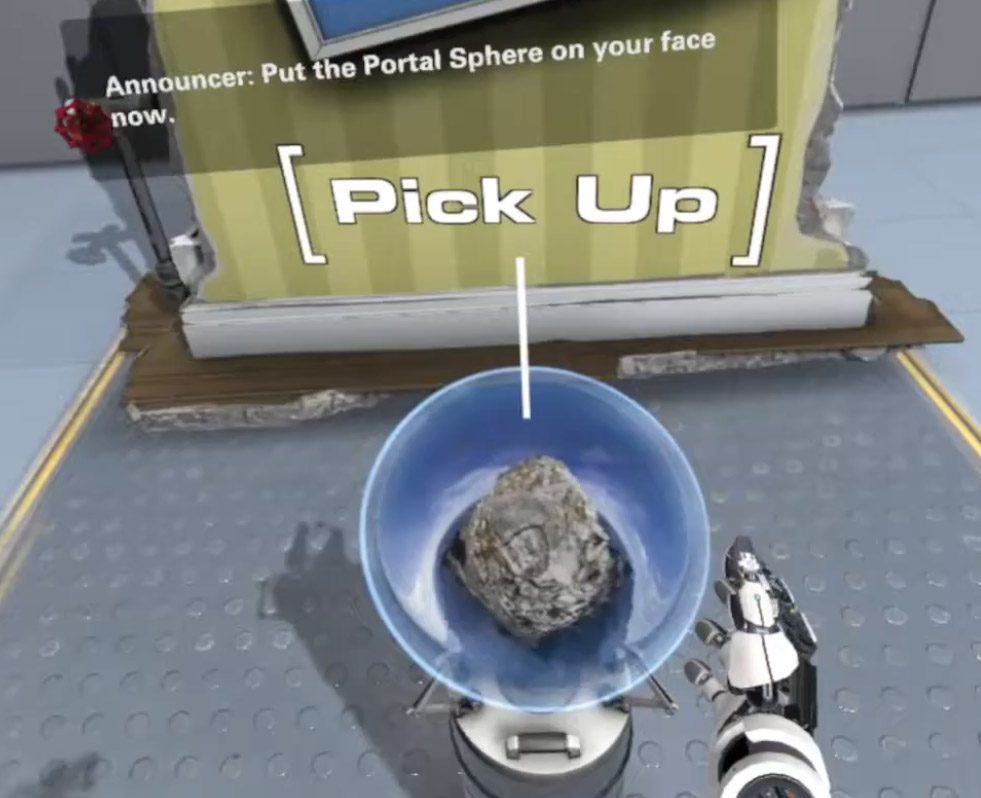
Opinion alert: good VR design integrates UI into the world as a core part of maintaining presence. To me, a pause menu that unnecessarily teleports you out of the game is just as bad as another loading screen. Excellent VR examples of putting menu components into the game world include:

In Cosmodread, an updating map of the spooky ship is wrist mounted and always glanceable:

In The Lab, you load a level by pulling an orb onto your head rather than using a menu of listed levels:

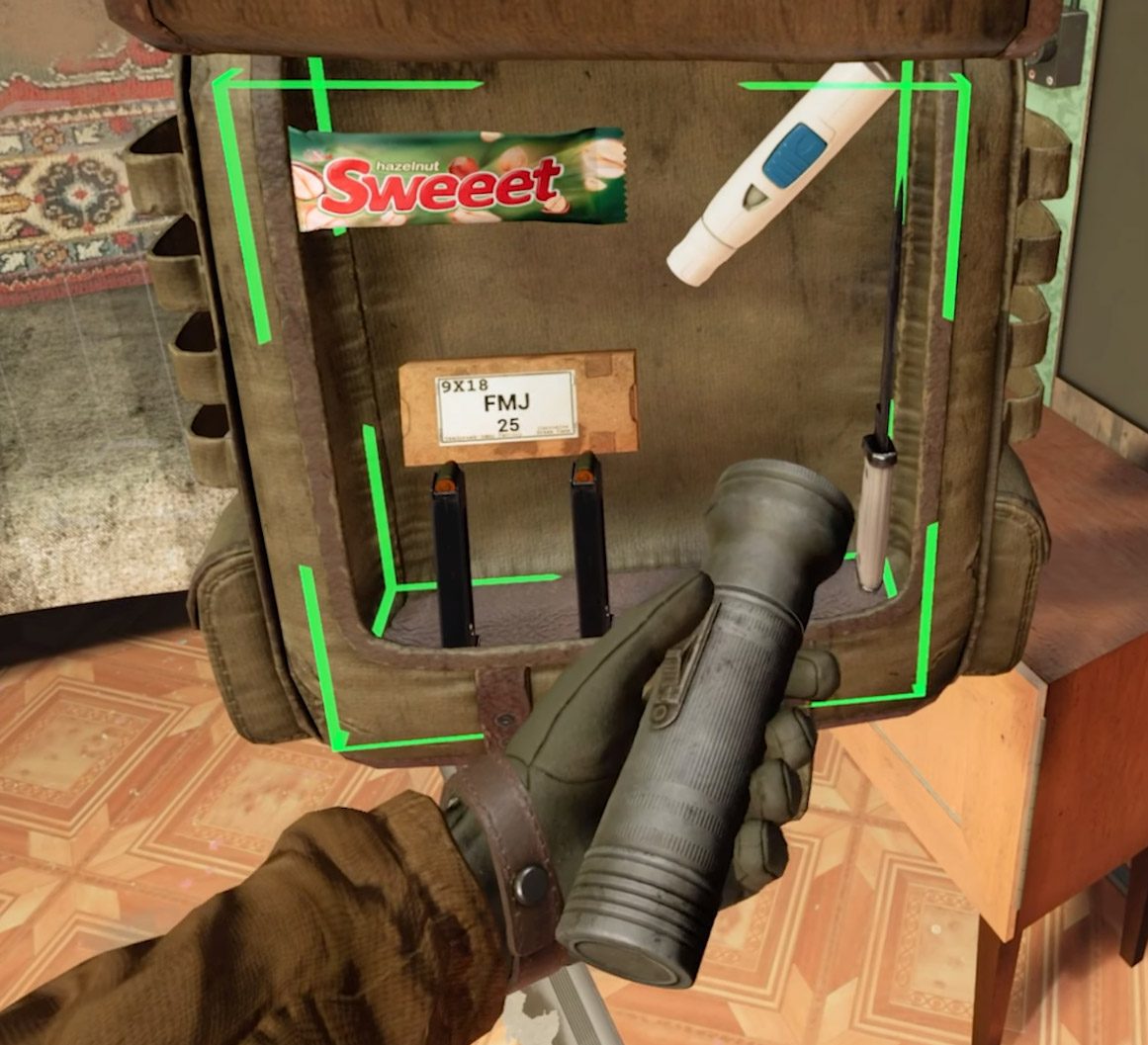
In Into The Radius, you manage your inventory by pulling items out of a physical backpack rather than an inventory menu:

All of these avoid the ‘pause’ and keep the player in the world. Even better, in doing these actions without pausing, the player may be looking over their shoulder when doing so, aware that their environment might not care if they are stopping to check their bag or map.

The ‘Failure’ Load (Instant Resets)

It can be very hard to hide failure (sorry mum), but hiding a load on failure? That we can do!

In a challenging, restart-heavy VR game, failure can be part of the learning loop. Think of Beat Saber or Pistol Whip; having to wait 10 seconds for a ‘Reloading Checkpoint’ between every reset would completely kill the flow.

Restarting in Beat Saber is instantaneous, so as not to punish the player

These games use ‘Instant Reset’. The reason they can restart in a fraction of a second is that they never unload the level. Think of it like a stage show: when an actor flubs a line in rehearsal, the crew doesn’t rebuild the entire set. The director yells “From the top!” and the actors simply reset to their starting positions.

The game is doing the same thing. It’s not reloading the level; it’s just hitting a giant ‘rewind’ button. It teleports you back to the start and resets the enemies and objects to their initial state. The level’s assets never leave memory. While more complex than simply reloading the level from scratch, it respects the player’s time and keeps them in the zone, turning frustration into a simple, “Okay, again!”

The ‘First Time’ Load (Shader Compilation)

When I said my games have no loading screens, that was a little lie; as with many games, the very first time a player starts one of my games, I do a ‘first time load.’

The most common reason for this is for ‘Shader Compilation’. A shader is a small program that tells the GPU how to render a surface—this fire, that wet-looking rock, this glass window. The first time the game needs to show you ‘fire’, it may have to compile that shader, causing a noticeable hitch or stutter in the headset, and this can happen when any new type of surface is shown for the first time.

As with many games, By Grit Alone opted for a simple trade-off: make the player wait once.

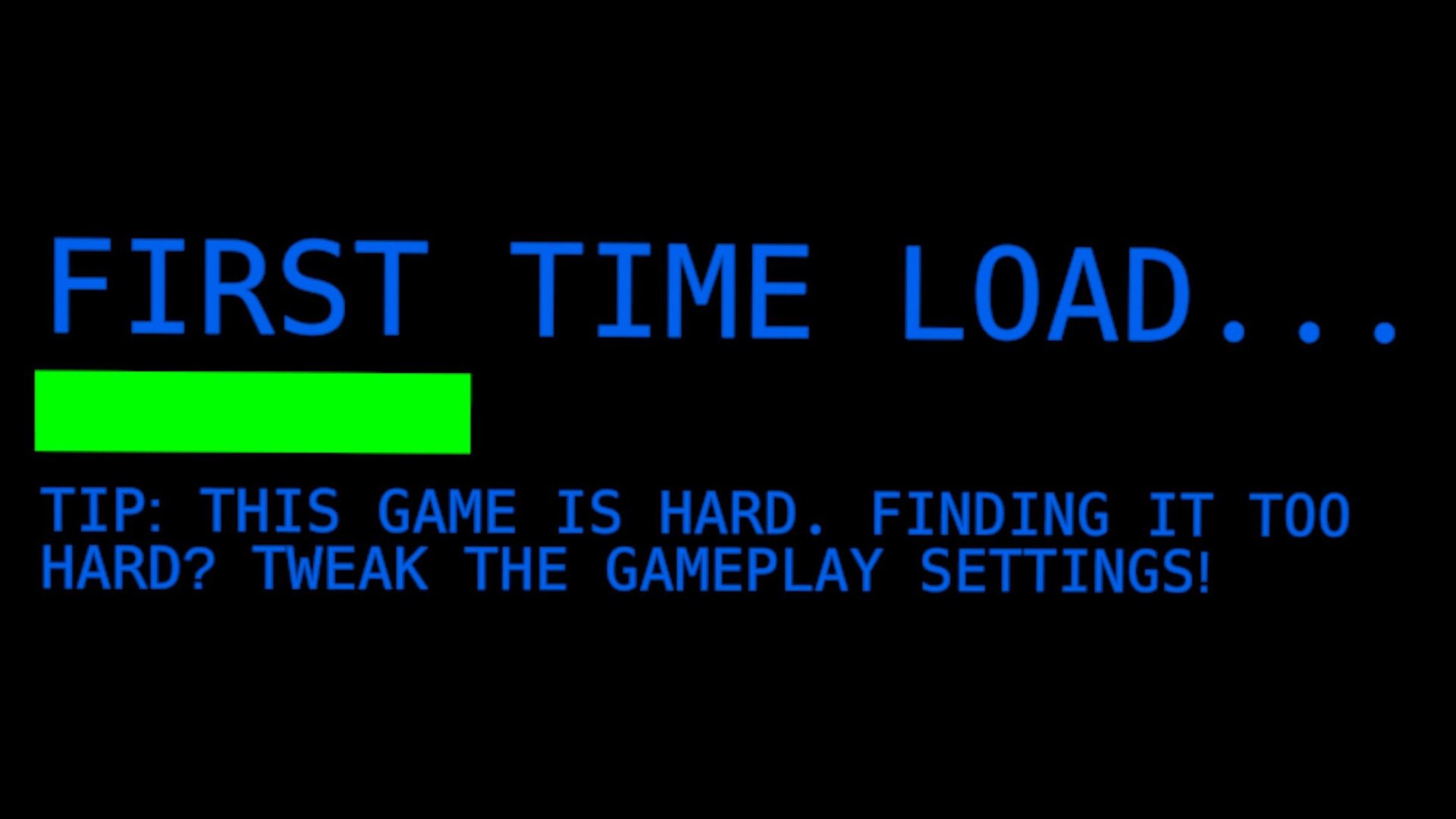
By Grit Alone first time load helps avoid shader compilation stutters down the line

When you first boot the game, it runs a one-time shader compilation step. In exchange, the player gets to traverse the entire campaign without a single stutter from a shader being compiled on the fly. It’s a classic ‘pay now or pay later’ problem, but for VR, paying for the load later during gameplay can mean a VR sickness inducing frame stutter.

When You Just Can’t Hide It (The “Honest” Load)

Sometimes there’s no way around a loading screen so obviously keep it as speedy as you can.

It is also important to keep the player’s head tracking active during the load (i.e. if they move their head, the loading bar will stay in place in the tracked environment rather than be stuck to the player’s view). Having a loading bar stuck to your view is the worst reminder that you have a headset strapped to your face.

It can also be a great time for a well placed tip; adding a tip about difficulty settings on By Grit Alone’s first time load saved a lot of player frustration.

Even better is an interactive loading screen. Is it possible to actually enjoy a loading screen? Black and White 2‘s interactive loading screen was a little game unto itself:

– – — – –

In the end, all these techniques serve a single purpose: give the player the best experience possible by reducing or removing unpleasant loading screens and unnecessary pauses. By combining smart technical decisions with clever, context-aware design, we can protect the player’s flow state and deliver on the seamless dream of virtual reality. This is paramount in VR especially, where a loading screen can render the player completely blind in a black expanse or cause sickness-inducing frame rate stutters.

As hardware gets faster, these techniques will certainly evolve, but I have a feeling we’ll still be waiting in elevators and crouching through vents in the far future of VR gaming.

The post The Seamless Dream: Killing The VR Loading Screen appeared first on Road to VR.


from Road to VR https://ift.tt/0y7jL5w
via IFTTT

Thursday, 11 December 2025

Meta Reportedly Set to Raise VR Headset Prices, Keep Existing Devices in Market Longer

https://ift.tt/u631prP

Meta appears to be planning to raise the price of its VR headsets moving forward, according to a recent internal memo, which company leaders hope will combat rising costs. Meta may also be retiring the Quest 3 and 3S line a little later than expected.

The News

As reported by Business Insider, a December 4th memo from metaverse leaders Gabriel Aul and Ryan Cairns notified employees that Meta has “made a shift” in its VR efforts which could include price increases to combat costs associated with tariffs, as well as keep existing hardware in the market for longer.

“Our devices will be more premium in price going forward, but we’ll have a healthier business to anchor on and free ourselves from feeling existential about any singular device’s success,” Aul and Cairns’ memo reads.

The memo, which thus far has only been viewed by Business Insider, also includes a call for high-quality software experiences meant to match the “excellence” of its devices. Additionally, Aul and Cairns’ said Meta will “ship new hardware at a slower cadence going forward.”

“We’re committed to VR for the long-haul so we need to align our business model and roadmap to an approach that will make this possible,” the memo says. “We’ve been working hard to bend the curve and accelerate ahead of the category’s natural growth rate, which means running multiple programs in parallel as well as carrying costs like tariffs and subsidies for content, GTM, and devices.”

Notably, the memo also included info on a critical delay of a puck-tethered XR headset, and a new Quest headset which is set to be a “large upgrade” in capabilities from current devices, and will “significantly improve unit economics.”

Meta currently sells Quest 3, starting at $500, and Quest 3S, starting at $300—the latter of which is currently on sale for $250.

My Take

Meta regularly subsidizes Quest in an effort to recoup on software sales, making them technically cheaper than they might otherwise be. It’s a strategy console platform creators have been doing for ages, and it certainly works at getting people through the door.

But now, it seems we’re headed for another rough patch that Meta needs to navigate if it wants to continue its role as the holder of the most popular VR platform. And above all, I’m curious how Meta will keep serving the entry level user while pushing prices higher. It’s basically stemmed the flow of cash to third-party studios, making platform exclusives few and far between nowadays. And competition is coming from both sides: Google’s Android XR represents a threat to the low end, and Valve’s Steam Frame on the enthusiast end of things.

While the memo said the next Quest will “significantly improve unit economics,” I’m afraid that doesn’t really mean much since it didn’t come with a supporting statement. Relative to what? Previous pricing estimations? Current prices?

Anyway, Meta could hike prices in a number of ways we’ll be watching out for in the coming year: Quest 3 may get a price bump over its regular $500 MSRP, leaving Quest 3S at the low end. This could keep the flow of new users coming at the regular pace, while effectively only “taxing” users looking for the technically better headset.

Quest 3S (left), Quest 3 (right) | Images courtesy Meta

Then again, both headsets may see a modest price bump, which is then teased down in successive sales periods, like it did with Quest 2 when that one was hiked from $300 to $400 following supply chain shock stemming from the COVID-19 pandemic. The company could also equally leave pricing the same, and only apply hikes on forthcoming devices.

Any which way, I’d expect Meta to attempt to soften price shock with included first-party games (even older ones) and possibly longer free memberships to Horizon+, its monthly game service.

And whatever the case, it’s pretty clear the Quest 3 platform is going to be around for a while, which means developers will need to keep it in mind even as Meta tries to push better hardware, which could include more powerful chipsets, higher pixel density displays, and stuff like built-in eye-tracking.

The post Meta Reportedly Set to Raise VR Headset Prices, Keep Existing Devices in Market Longer appeared first on Road to VR.


from Road to VR https://ift.tt/tF15pk2
via IFTTT

Coldplay Immersive Concert Coming to Quest Soon, Music Pack Lands on ‘Beat Saber’ Next Week

https://ift.tt/ZC6s5c1

Meta has partnered with Coldplay in a big way, soon bringing the British pop-rock band’s music to Beat Saber, and an immersive concert to Horizon Worlds before the New Year.

The News

Coldplay’s Music of the Spheres tour became the most-attended concert tour in history this year, bringing the band’s live music to over 13 million people over the course of its 2022-2025 run.

Now, Meta announced it’s bringing Coldplay to the virtual stage on December 30th, as Horizon Worlds users can jump in for a free immersive concert, which is set to include hits like ‘Yellow’, ‘Fix You’, and ‘Viva La Vida’.

Notably, the concert was captured at Wembley Stadium with 15 VR cameras, which will bring virtual concert-goers front-row vantage points in 180 degree VR video.

When it goes live on December 30th in Horizon Worlds, available on Quest and mobile devices, fans will also be able to don free Coldplay-themed avatar merch to show their support.

The concert kicks off on December 30th at 11:00 AM PT (local time here)—you can RSVP here.

And the Coldplay digital takeover doesn’t stop there. Leading up to the event, block-slashing rhythm game Beat Saber is launching a 12-track Coldplay Music Pack on December 18th, priced at $15 (or $2 per song), with bundle discounts for new players. You’ll be able to find it on Quest and SteamVR headsets when it launches—just don’t expect it on PSVR 2.

Meanwhile, in the US and Canada, VR fitness app Supernatural will debut new Coldplay workout sessions on December 29th, mixing hits and recent releases into Boxing, Flow, and Stretch routines.

My Take

It seems like Meta is really looking to nail the holiday timing with its immersive Coldplay concert, not to mention embedding the band into its top-performing apps. While you may or may not like Coldplay, it’s a pretty smart move by Meta to leverage the band with pretty much the broadest appeal—since, well, the company isn’t funding exclusive game content like it used to.

Granted, there are a ton of great games on the Horizon Store for newcomers to grab, but Meta seems to have tightened the belt on content funding lately, which is odd since major competitors are just now entering the market—certainly interesting times ahead.

On one hand, we have Samsung Galaxy XR possibly making way for the release of more (and cheaper) Android XR devices, which could serve as more direct competitors to Quest in the future.

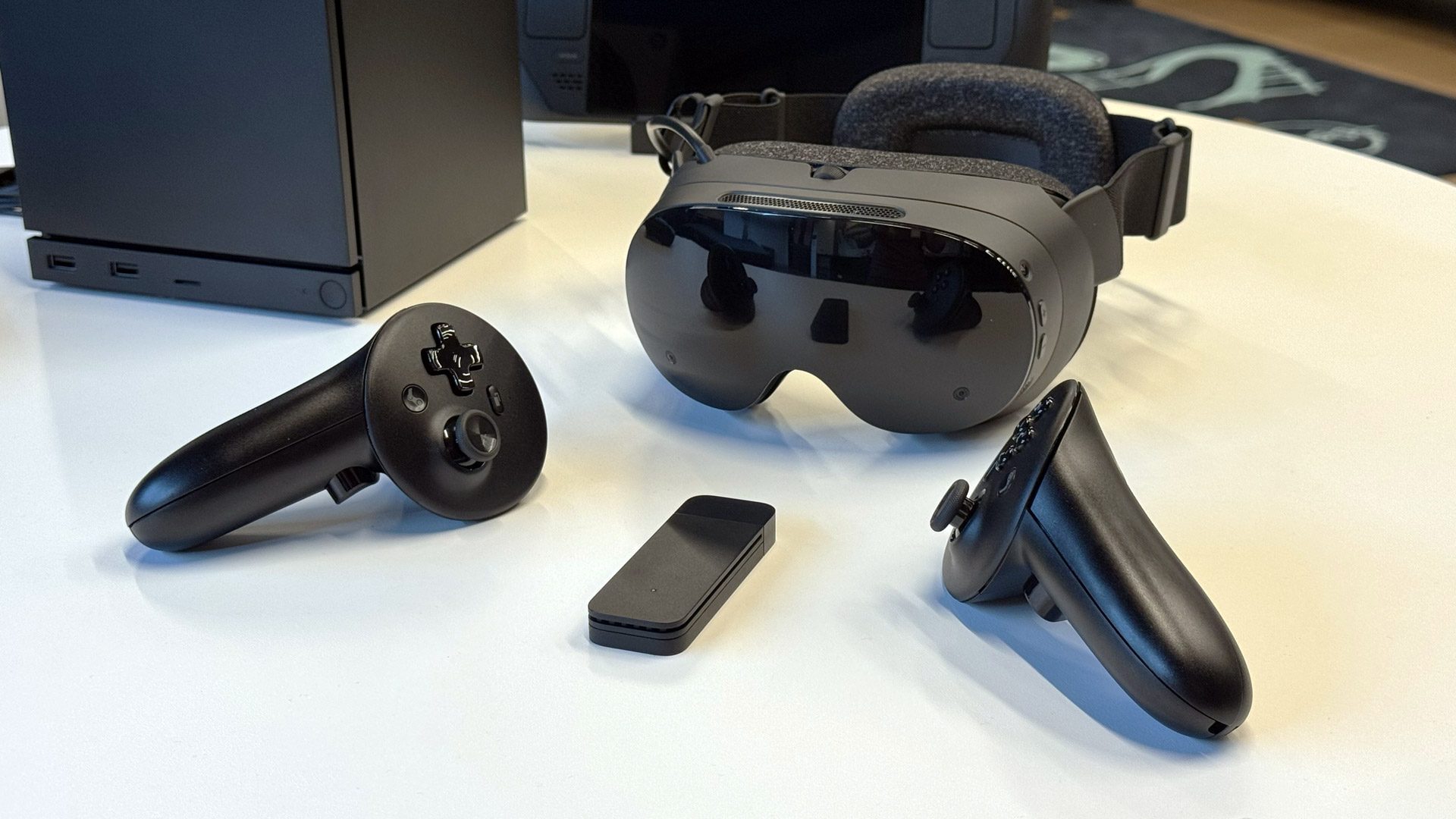
Steam Frame | Photo by Road to VR

Launching early next year though, we have Valve’s Steam Frame, which is likely to drive Quest developers to update their PC VR versions to include Frame-compatible play. I don’t expect Frame to unseat Quest as the most popular XR platform, as the company has built a core usership of younger consumers, although it does represent the first time in recent history when Meta may actually need to defend against platform apostacy among upgraders.

Meta is aiming to do this with some powerful new hardware in the future, but it could come later rather than sooner, according to recent reports—so there’s no telling how Meta will position itself in the future to maintain market share superiority.

The post Coldplay Immersive Concert Coming to Quest Soon, Music Pack Lands on ‘Beat Saber’ Next Week appeared first on Road to VR.


from Road to VR https://ift.tt/ogynGmx
via IFTTT
Related Posts Plugin for WordPress, Blogger...