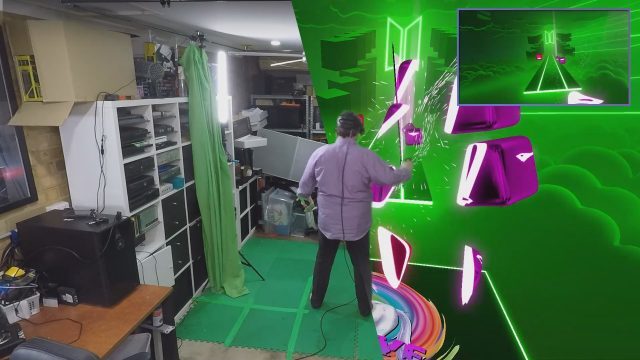
There are a few great ways to market VR games, but there’s arguably none better than by showing real people immersed in virtual environments thanks to mixed reality capture. While Meta has its own Mixed Reality Capture tool (MRC), the company is taking a step back from development by adopting third-party app LIV as its official solution.
LIV describes the deal as a “multi-year partnership with Meta to bring LIV’s mixed reality capture & virtual camera solutions to developers publishing on Meta Quest and soon also creators who wish to use those features in Meta Quest and Rift apps.”
To boot, LIV is today releasing in beta its new SDK v2.0 for Unity-based apps which support Meta’s Presence Platform capabilities, such as hand tracking, passthrough, spatial anchors, etc.
The studio says that later this year a beta release of SDK v2.0 for similar Unreal-based apps will also arrive, with official release of both Unity and Unreal versions coming sometime in Q4 2024.
Although a headlining feature, LIV isn’t just a mixed reality capture tool; it also specializes in avatar solutions for Vtubing and allows streamers to monitor chats, alerts and notifications in VR. Notably, to create mixed reality videos like the one seen below, you’ll need a PC with a supported external camera, and of course the free PC app itself.
One of the biggest names to use LIV is Another Axiom’s Gorilla Tag, which has just topped $100 million in revenue, making it one of VR’s most successful games to date.
“Another Axiom builds fully realized spaces that are meant to be shared together, like in our popular game Gorilla Tag,” said David Yee, COO at Another Axiom. “We’re always looking at new ways to give our players and creators a great experience they can share with their family and friends. This partnership between LIV and Meta provides access to best-in-class capture and virtual camera technology, introducing new ways to capture and share in-headset experiences. We can’t wait to see what the community does with these new tools.”
You can download LIV on Steam and get started on integrating LIV SDK to your Quest app starting today, both of which are free for content creators and game developers alike.
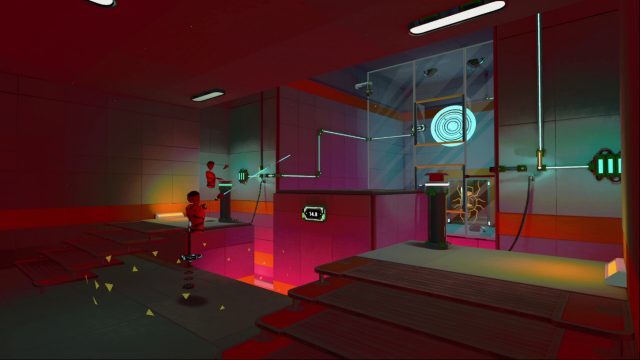
Indie studio Ivory Crow Games have released a new demo for Chrono Weaver, a single player game that lets you make copies of yourself to solve physics-based puzzles.
Set in a mysterious science facility filled with mind-bending puzzles, you use your trusty slingshot and time travel device to find solutions to seemingly impossible tests.
If you’ve noticed a few familiar influences in the new trailer, you’re not wrong. Here’s how the studio described Chrono Weaver to Road to VR:
In our game you play as a test-subject starting a new job, with unknown origins and a simple goal: Smash the Data Disk. Guiding you along the way is a flying robot named Yoto, a quirky character who manages your journey and helps make sure you don’t get too lost along the way.
The gameplay loop has a vibe similar to Portal, going from puzzle to puzzle with short bursts of story and mystery in between. The game teaches as you go along, so there is no true tutorial, instead it grows in difficulty, introducing mechanics and weaving them together creating exciting and challenging puzzles. Other games that are similar to it in VR are The Last Clockwinder, We Are One, and Transpose VR.
While there’s no release date yet, the two-person indie studio has released a demo that shows off a good slice of the game’s time-bending fun. Notably, this is a completely overhauled demo from the one distributed during Steam VR Fest back in December.
The demo is said to take between 30 minutes and an hour long to complete, which you can download for free for both Quest 2/3/Pro and SteamVR headsets. If you already played the original demo from December, the studio says you’ll need to replay it from the top, as saves don’t carry over.
Still, the studio says that with all the changes “it is basically a brand new experience so we think you will enjoy it.”
Resolution Games today confirmed that Spatial Ops, the studio’s multiplayer mixed reality shooter currently in beta, is heading for full launch on Quest sometime later this year.
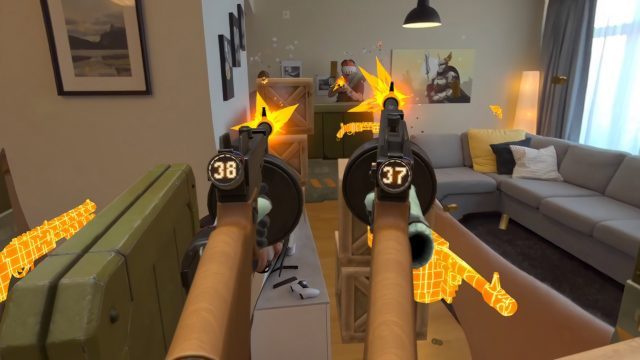
Spatial Ops lets you turn any physical space big enough for mixed reality play into a virtual battlefield, replete with barriers and a host of weapons, such as Tommy guns, revolvers, shotguns, scoped rifles, rocket launchers, grenades, and a riot shield—making it feel more than a bit like a game of laser tag on steroids.
Featuring 1-8 players, Spatial Ops offers a number of modes, including a solo PvE bot mode, and PvP modes like Team Deathmatch, Capture the Flag, and Domination, and Free-For-All.
While it might seem like the game is designed with VR arcades in mind, thanks to a handy level editor basically anyone can pick up Spatial Ops and tailor it to their living room, basement, or well-lit outdoor space for some pretty impressive battles. Check out our early hands-on here to learn more.
Resolution Games says the launch version of Spatial Ops will focus on reduced gametime setup, pre-set and movable maps, performance optimization, more gameplay, more enemies, and more modes.
Spatial Ops is already available to wishlist on Quest 2/3/Pro via the Horizon Store (ex-Quest Store). If you’re interested in playing the open beta, you can play it via SideQuest up until its full launch.
Meta’s social VR platform Horizon Worlds hasn’t been available to everyone, with the company restricting the app’s use to only a few countries. Now it’s rightfully rolling out to every region where Quest is supported.
Despite being available on the web since last January, geolocation restrictions only allowed Quest users access in select countries, which included Canada, France, Iceland, Ireland, Spain, the United Kingdom, and the United States.
Meta today announced that starting this week the company will begin rolling out Horizon Worlds “to people in all Meta Quest markets in supported languages so more people can connect with each other around the globe.”
This includes access for users 13+ across the following Quest-supported regions: Australia, Austria, Belgium, Canada, Denmark, Finland, France, Germany, Iceland, Ireland, Italy, Japan, Netherlands, New Zealand, Norway, Poland, Sweden, Switzerland, Taiwan, the United Kingdom, and the United States. Users must be 14+ in South Korea and Spain.
This comes as the company ostensibly seeks to promote Horizon Worlds as a more fundamental social layer to its rapidly growing platform, which is soon set to include third-party VR headsets for the first time.
Horizon Worlds will come part and parcel with Horizon OS (ex-Quest OS) and the Horizon Store (ex-Quest Store), which will be available on Quest-like headsets built by ASUS, Lenovo and Xbox.
Quest users have long wanted a better way to manage windowed content to make web browsing and using 2D apps easier. It seems the next Horizon OS update (ex-Quest OS) will include a way to do just that.
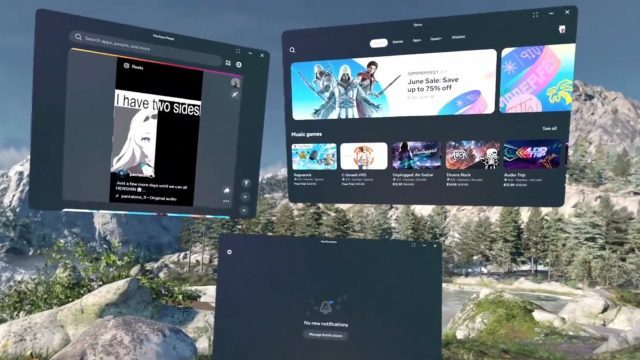
As discovered by XR enthusiast and serial data miner Luna, the public test channel (PTC) has allowed some users early access to the headset’s v67 update, which includes a new experimental feature that allows a more flexible way of placing windowed content—feeling more than a little inspired by Vision Pro.
Meta first unveiled multitasking support in early 2020, which allowed users to place multiple windows in three docks. Luna notes that, at least in its early access release, windowed content appears to be limited to three docked panels and three freely placeable panels, making for a lot more flexibility when it comes to setting up your virtual home office.
There’s also set to be a new virtual keyboard feature that lets you to place the keyboard both vertically or at an angle for easier typing.
To access these features before stable release, you’ll need to enroll in the PTC. If you haven’t already, follow this quick guide, courtesy of Meta.
To sign up for eligibility for Quest PTC from the mobile app:
Open the mobile app, tap Menu in the bottom-right corner, then tap Devices.
Tap Headset settings, then tap Advanced settings.
Tap the toggle next to Public Test Channel to try to join Quest PTC.
If the toggle doesn’t work, Quest PTC is currently full and not available.
From there, as Luna mentions, simply head to Settings > Experimental Features > New Window Layout, and toggle the feature to activate.
If you’re on PTC and don’t have those features yet, make sure to check back regularly, as Meta tends to do soft rollouts of both its early access and stable OS updates.
The 2D to 3D photo conversion feature coming to Vision Pro in VisionOS 2.0 makes a novel capability meaningful for the first time.
Cue “Apple didn’t even do it first!” in the comments.
You’re not wrong. There’s been seemingly a hundred different startups over the years that have promised to turn 2D photos into 3D.
Even Meta had a go at it when it added 2D to 3D photo conversion to Facebook several years ago. But they never really caught on… probably because seeing 3D photos on a smartphone isn’t that exciting, even if Facebook added a little ‘wiggle’ animation to show the depth on 2D displays.
When it comes to features that people actually want to use—it doesn’t matter who does it first. It matter who does it well.
This headline says “the real deal,” because Apple has, in fact, actually done it well with Vision Pro. The 2D to 3D conversion doesn’t just look good, the feature is actually implemented in a way that takes it beyond the novelty of previous attempts.
The feature is part of visionOS 2.0, which is currently available in a developer beta. Apple says the feature creates “spatial photos” from your existing 2D images (which of course just means stereoscopic ‘3D’).
Granted, even though it’s “just stereoscopic,” seeing your own photos in 3D really adds a layer of depth to them (figuratively and literally). While a 2D photo can remind us of memories, a 3D photo feels much closer to actually visiting the memory… or at least seeing it through a window.
In VisionOS 2.0, just go to the usual Photos app, then open any photo and spot the little cube icon at the top left. Click it and the headset analyzes and converts it to 3D in just two or three seconds. With a click you can also return to the original.
The results aren’t perfect but they’re very impressive. It’s unfortunate I can’t actually show them to you here—since I have no way to embed a 3D photo in this page, and 99.9% of you are probably reading this on a 2D display anyway—but it’s the best automatic 2D to 3D photo conversion that I’ve personally seen.
The speed and accuracy is doubly impressive because the conversion is happening 100% on-device. Apple isn’t sending your photos off to a server to crank out a 3D version with cloud processing resources and then sending it back to your headset. That makes the feature secure by default (and available offline), which is especially important when it comes to a dataset that’s as personal as someone’s photo library.
Across the photos you’d find in the average person’s library—pictures of people, pets, places, and occasionally things—the conversion algorithm seems to handle a wide range of these very well.
While the feature works best on real-life photography, you can also use it on synthetic imagery, like digital artwork, AI-generated photos, 3D renderings, and the like. Results vary, but I overall I was impressed with the feature’s ability to create plausible 3D depth even from synthetic imagery which itself never actually had any 3D depth in the first place.
The thing the algorithm seems to struggle with the most is highly reflective and translucent surfaces. It often ends up ‘painting’ the reflections right onto the reflecting object, rather than projecting them ‘into’ the object with correct depth.
The only major limitation at the moment is that 2D to 3D photo conversion doesn’t seem to want to work on panoramic images. On Vision Pro panoramas can already be blown up and wrapped around you in a way that feels life-sized, but they would still get another layer of emotional impact from being 3D-ified.
It’s unclear why this limitation exists at present, but it’s likely either because panoramas tend to be very high resolution (and would take longer than a few seconds to convert), or Apple’s 2D to 3D algorithm needs more training on wide field-of-view imagery.
Beyond that limitation, the thing that really makes this feature… a feature (not just a ‘technical possibility’), is that it’s built right in and works in the places and ways you’d expect.
Not only can you send spatial photos to other users who can view them in 3D on their own headset, you can also start a SharePlay session and view them together—an incredible way to share moments and memories with the people that matter to you.
And its easy to actually get the photos you want onto your headset for viewing.
Many people will have their iCloud photos library synced with their headset, so they’ll already have all their favorite photos ready to view in 3D. I personally don’t use iCloud photos, but I was easily able to select some of my favorite photos from my iPhone and AirDrop them, which automatically opened the Photos app so they were right in front of me in the headset.
Further, you can just save any old photo to your headset—be it from Facebook, a website, or another app—and use the 2D to 3D conversion feature to view them with a new layer of intrigue.
And this is what makes this visionOS 2.0 feature different than 2D to 3D conversion software that has come before it. It’s not that Apple has any groundbreaking quality advantage in the conversion… it’s the fact that they made the experience good enough and easy enough that people will actually want to use it.
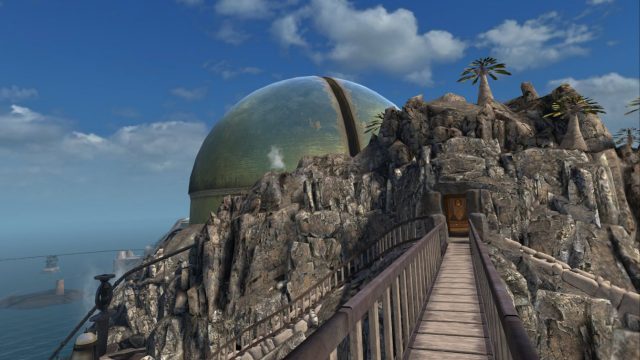
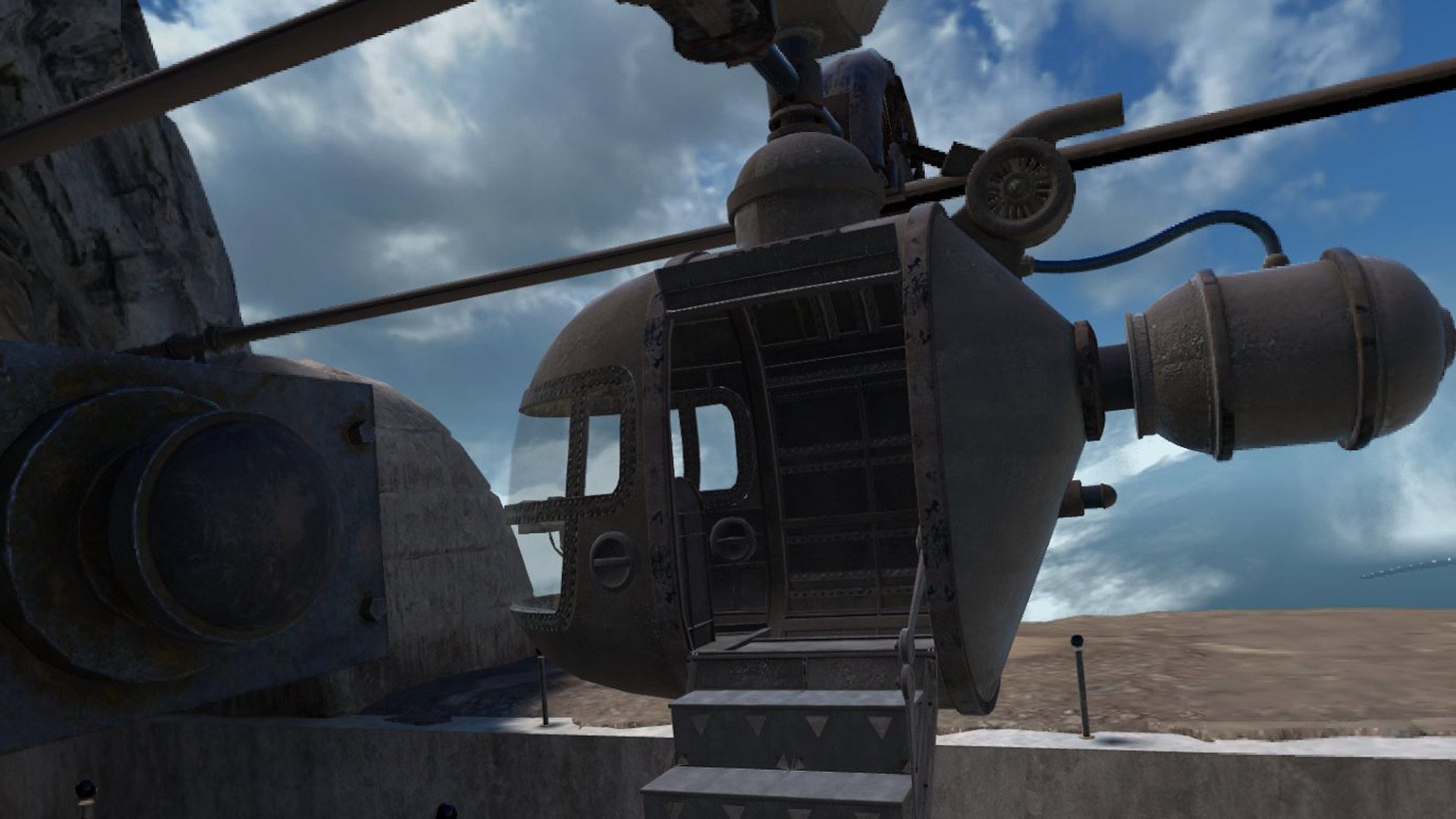
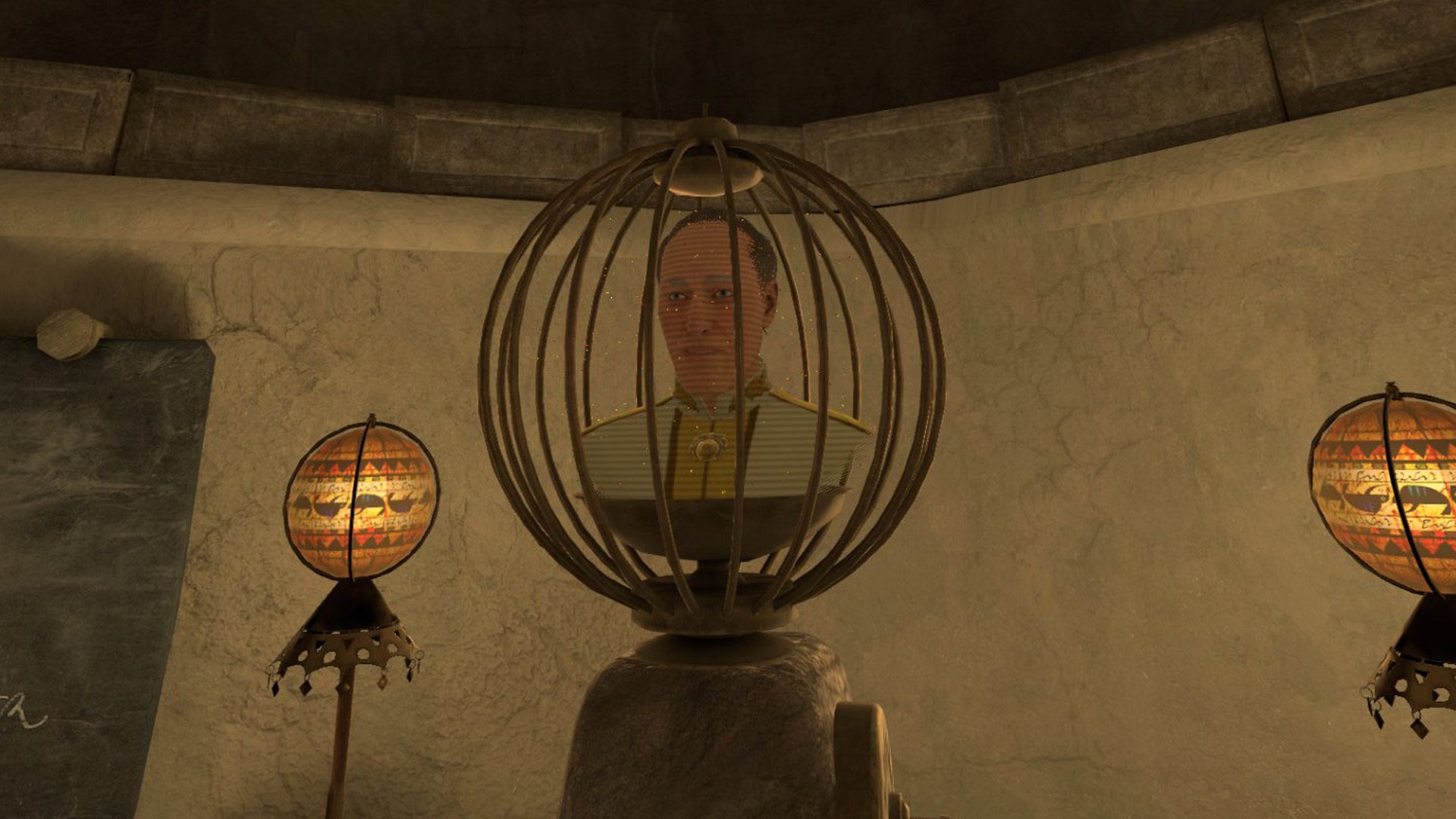
RIVEN (1997), the sequel to iconic point-and-click puzzle-adventure MYST (1993), just got the VR treatment in its new remake. Unlike Myst, which felt a little too game-y and obtuse at times, Riven plays a lot more like a modern title, which thanks to Quest and SteamVR support, is true in every sense of the word now. Granted, you’ll need to look past some VR implementation issues which keep it from feeling like a ground-up VR native, although however you play, you’ll be exploring a fascinating world that’s both puzzle-dense and undeniably beautiful at every turn.
RIVEN Details:
Available On: Quest 2/3, SteamVR Reviewed On: Quest 3, Quest 3 via Link Release Date: June 25th, 2024 Price: $35 Developer: Cyan Worlds
Gameplay
I know Riven pretty well by now, having shuffled my way around its five PlayStation 1 discsa number of times as a kid. This is the first time popping back in as an adult though, so I kind of get the chance to not only relive a bit of the past, but rediscover puzzles long forgotten, this time in the immersive first-person view of a VR headset.
While I really can’t stop nostalgia coloring some of my experience with the new 3D-rendered Riven, I’ve spent enough time in VR to know where things fit on the VR-port-continuum. Some games feel unnecessarily forced into working with VR, some are indistinguishable from VR-natives, and somewhere in the middle are great games that still feel like ports, but that’s okay because they bring enough to the table on their own. That’s where Riven sits—great game that works pretty ok in VR.
If you’re playing it for the first time, you’re in for a patently Cyan experience of deciphering codes, shuffling puzzle pieces around, and visiting (and possibly re-re-revisiting) places, doors, and enigmatic set pieces to figure out the world around you. That’s reason enough to play if you’ve never had the chance. Riven’s puzzle can be tough for the uninitiated, but ultimately more rewarding than Myst thanks to its heaps of environmental storytelling that feels less formulaic, and a lot more organic. More on that in the Immersion section.
Image captured by Road to VR
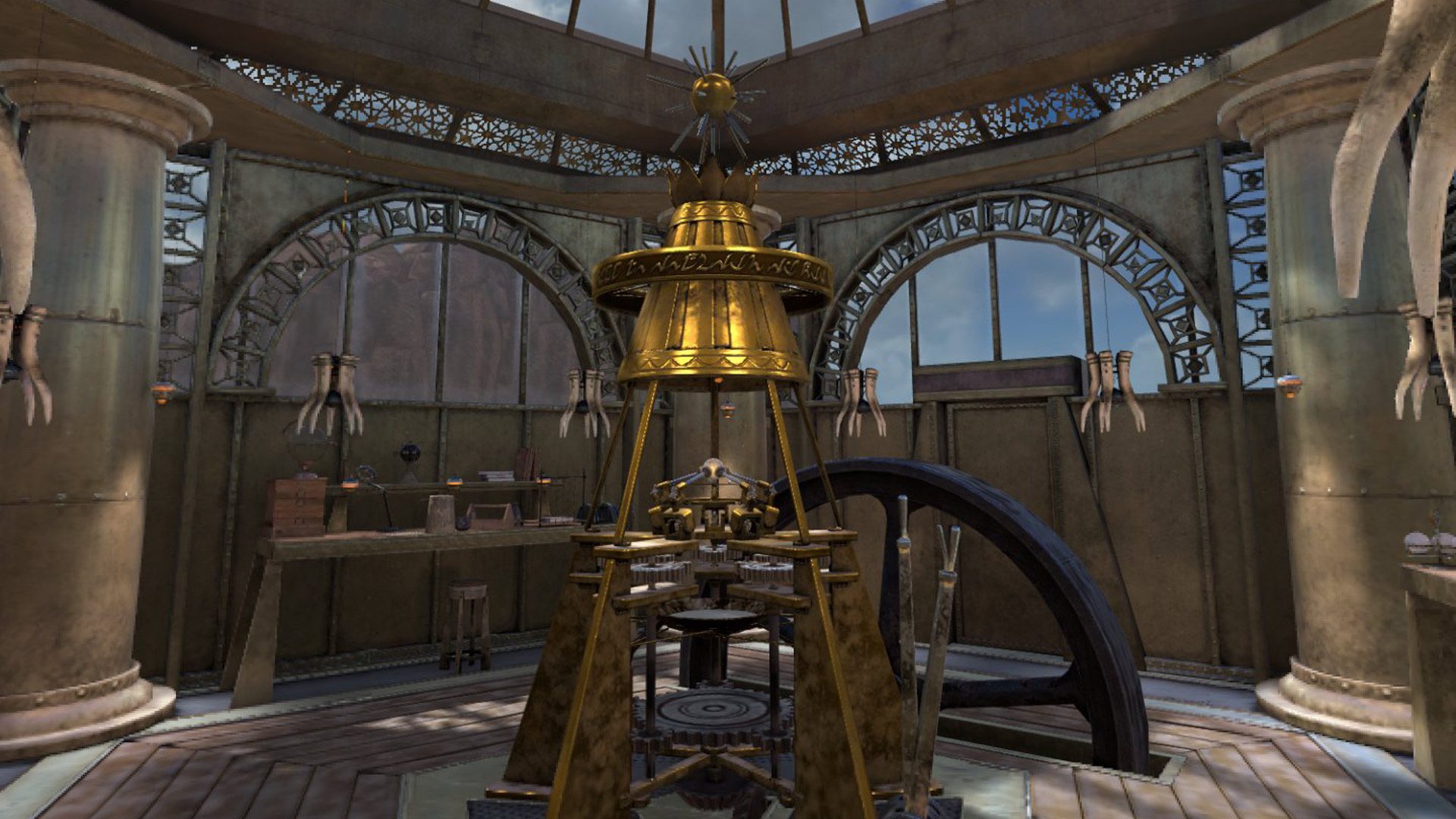
If you have played before though, many of the game’s puzzles and gadgets are slightly modified from the originals, likely due to the spatial nature of real-time 3D graphics as opposed to the single-frame point-and-click original, which was much more static in how its presented interactive elements. A 27-year-old walkthrough guide that works with the original may still be useful to help with the broad strokes, but you’ll definitely notice differences here and there, with some puzzle elements simplified, or complicated in new ways separate from the original.
One thing that hasn’t changed is there’s still a ton of walking and looping around to do, which is just a feature of the game due to its wide and varied puzzles. You’ll spend a good amount of time circumnavigating one of the game’s five islands for the umpteenth time turn on a thing, to return to a puzzle across the map to see what it did. Then again, that’s just the old school charm and hands-off approach Riven brings to the table.
Image captured by Road to VR
Not only that, but the old school approach to game design makes you rely upon your own spatial memory. There are no map markers, signs, or ‘helpful’ NPCs to guide your way—an aspect of the game that still makes it one of my favorite experiences.
And unlike Myst, you can go a pretty impressive distance through the game with only a few hard roadblocks to stop you, making progression feel very natural. Then again, Riven is beloved for being more organic in level design, and less formulaic than Myst overall, feeling much less like of a jumble of toys, and more like Cyan’s modern titles Obduction (2016) and Firmament (2023).
Image captured by Road to VR
Knowing Riven’s past, I shouldn’t really complain about loading times—they’re certainly faster than shuffling through a broken jewel case filled with PS1 discs—however on Quest you’ll be sitting there for a while waiting for levels to load, the longest of which is the initial startup screen which the game warns “could take a few minutes” to do (it does). From there, whether on Quest or SteamVR, vehicle transitions will constantly toss out 10-second loading screens, which doesn’t sound like much, but happen on both sides of transfers between islands.
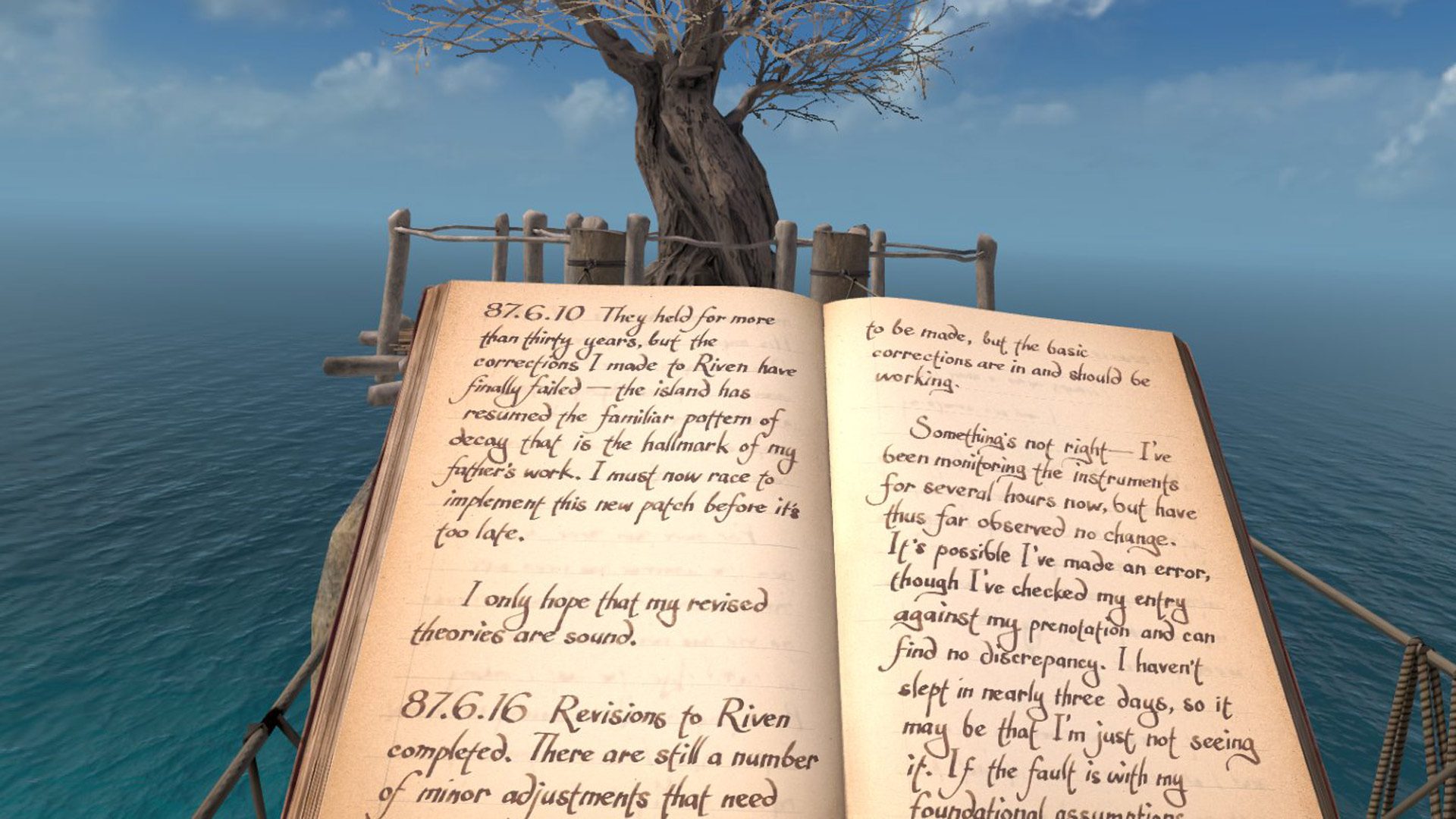
Another niggle: there’s no practical way to write down notes so you can remember clues or sketch out solutions, which is precisely what you’ll need to do to decode stuff. You can take a screenshot with the game’s built-in camera system, and that’s about it. I just wish there was a spatial pencil so I could annotate found letters, or somehow keep myself from taking off the headset to write stuff down.
Immersion
I had a chance to play both on Quest 3 natively and PC VR versions. Here’s the breakdown between the two, which most anyone can guess.
On the Quest version you’ll notice a ton of low-res textures and geometry that dynamically chunk-loads into place the closer you get to it. Once things are in place though, at times Riven can be one of the prettiest games on the Quest platform. That’s if there aren’t any NPCs around, which are bloated and a little too cartoony for the game’s lush, natural environment.
Image captured by Road to VR
It also seems Cyan is throwing the entire toolbox of Quest performance tricks at you at all times, including what feels like always-on asynchronous spacewarp and glaringly obvious fixed foveated rendering.
Since it was primarily developed for the flatscreen PC crowd, the PC VR version is a fair bit ahead of the Quest 3 native in terms of visuals. Even on ‘Epic’ settings though, you’re bound to notice some oddly applied shaders that make shadows dance about and move when they shouldn’t, and also discrepancies in how shaders work in both eyes, leading to some pretty visible mismatches in shadows and lighting. Still. chunk-loading of areas is mostly minimal and textures are fairly high, making it rightfully a more graphically intense version of the game.
Like Myst, Riven suffers from middling object interaction, which is a shame considering how many items are strewn about in the game. Oftentimes I’d find myself trying to interact with something, only to find out I wasn’t pressing it correctly, or it wasn’t interactive at all in the first place, making it more of a guessing game than it should be. Here’s me fruitlessly grasping at a weird banana-kiwi thing, then trying to grab a strangely unusable pencil on the same table. Again, I wish I could use that damn pencil.
There is a physical inventory though where you can keep the various books you collect throughout the game, although you can’t use it for anything else.
Whether you’re on Quest or SteamVR, something that never fails to impress is coming to a precipice or turning a bend to find a new, breathtaking scene in front of you. Riven is all about natural beauty, punctuated with megalithic structures that don’t feel nearly as abandoned and lonely as Myst did.
There’s wildlife, sprawling villages, shrines, and plenty of environmental storytelling here to dig into, putting exploration at the forefront. There’s even inhabitants in the world, albeit too skittish to interact with such an obvious outsider.
Comfort
Riven features the full gamut of comfort options in addition to some quality of life options that make things a little easier, but likely less immersive as a result. Traveling between islands is always done on some sort of vehicle, which can be a little jarring for some since it’s fast and a bit jerky.
You can turn vehicles transitions off entirely though, essentially letting you jump right to the next island’s rail station, or put in the option to make windows dirty, which helps ground you a little more in the vehicle’s cockpit. The game also offers similar options for instant traversal of stairs and ladders, which otherwise a manually climbable.